The equipment record. The warranty details. The next support request. Bring the everyday management of your OBS-supplied coffee machines and water taps into one place.
Installation details 01Warranty & maintenance records 02Equipment documents, where provided 03
A CLEARER SUPPORT REQUEST
The right equipment. The useful details.
01Select your registered equipment
02Describe the problem and error message
03Send the request for OBS to review
The Hub connects the issue to the equipment record.
KEEP THE DAILY ROUTINE MOVING
Supplies with the right context.
01Filters & cleaning products02Coffee & suitable consumables03Quantity & delivery site
OBS confirms compatibility, pricing and delivery before processing.
YOUR APPROVED LOCATIONS
A clearer view across the workplace.
01 / EXAMPLE LOCATIONGround-floor kitchenEquipment & records
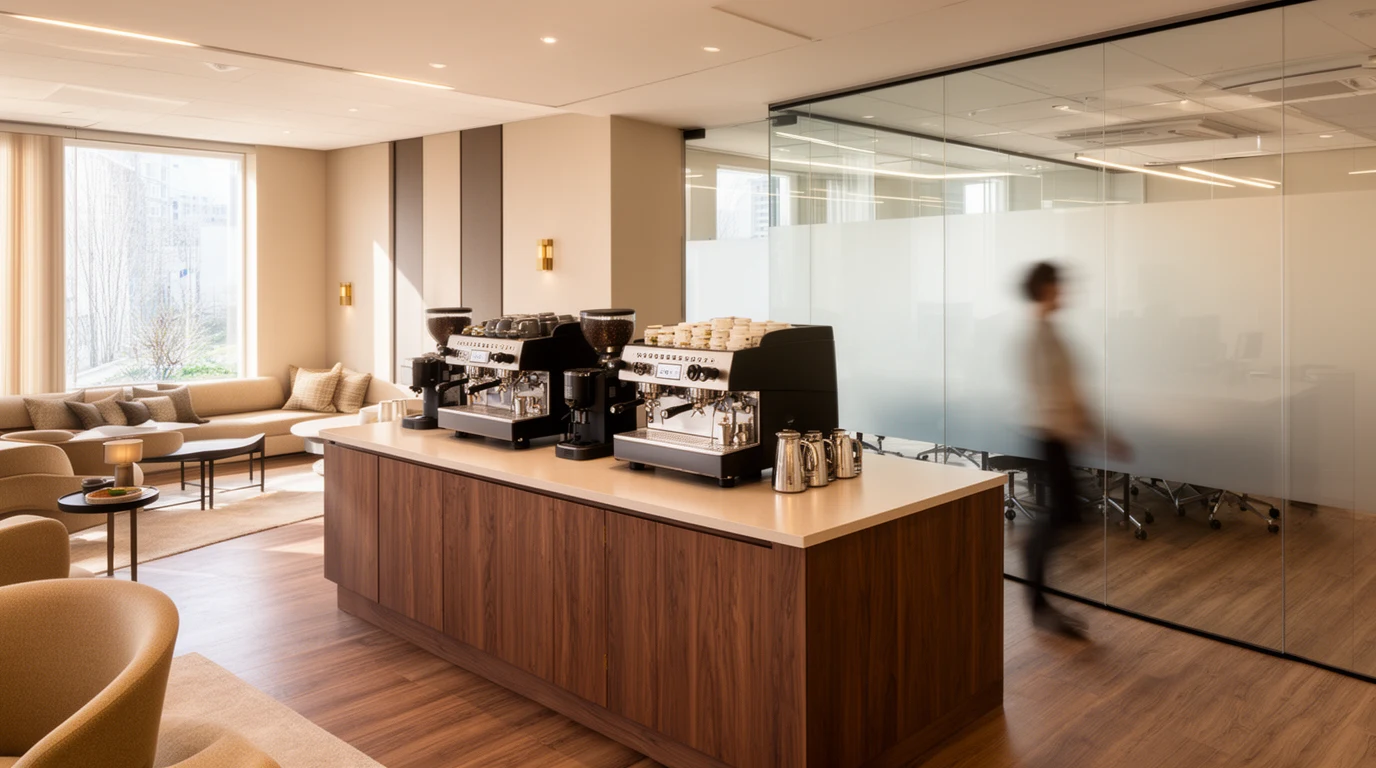
02 / EXAMPLE LOCATIONMeeting-floor coffee pointEquipment & records
What you see follows your approved company and site access.
Equipment · Support · Supplies
Illustrative feature preview · example records · no live customer data
AFTER INSTALLATION, STILL WITH YOU
The machine is only part of the experience.
Keeping workplace coffee running also means knowing what is installed, where the records are and who to contact when something needs attention. The OBS Customer Hub gives office managers, facilities teams and workplace operators a shared starting point.
It connects your registered equipment with practical actions: checking recorded cover, reporting a fault, requesting supplies or planning another coffee point.
THE DETAILS BEHIND A BETTER WORKING DAY
Know what you have. Know the next step.
Four practical ways to manage coffee machines and workplace water equipment supplied by OBS.
01 / THE EQUIPMENT RECORD
Your machines. The details together.
Find the model, serial number and location of registered office coffee machines and water taps. View recorded installation, warranty and maintenance information against the relevant equipment.
Select the equipment and explain what is happening. An error message, when the issue started and the right contact details give OBS a clearer starting point for reviewing the request.
Request filters, cleaning products, coffee beans and suitable consumables with the equipment and delivery site in context. OBS confirms compatibility, pricing and delivery before processing.
Consumables requests for registered equipment
Quantity, delivery site and a useful note
Browse supplies and ask OBS about suitable products
Need another coffee machine, a water tap, a replacement or a complete package? Existing customers can send OBS a brief with the location, team size, expected usage and timing.
Illustrative locations and equipment. Your Hub follows the records and access arranged for your account.
ONE OFFICE, SEVERAL FLOORS OR MORE THAN ONE SITE
A clearer view across the workplace.
A facilities team may look after several coffee points. A managed workspace operator may coordinate different floors or buildings. The Hub helps approved contacts find the equipment records for the locations they are responsible for.
Access follows your approved company and site permissions. Ask OBS when a contact changes, a location is added or an equipment record needs checking.
The record is the start. The agreed cover matters.
Warranty, extended cover and maintenance arrangements are separate parts of the equipment picture. The Hub shows what has been recorded; your individual agreement determines the scope of cover.
Submitting a request starts the review. OBS confirms next steps and any chargeable work before proceeding. If a date or detail appears incorrect, ask us to check the record.
Plan coffee machines for serviced offices and coworking spaces: shared kitchens, peak demand, multiple locations, water, maintenance and scalable procurement.
The OBS Customer Hub is the customer portal for equipment supplied by Office Brew Solutions. It brings registered office coffee machines and water taps together with equipment details, recorded warranty and maintenance dates, support requests and consumables requests.
Who can use the Customer Hub?
Access is arranged by OBS for approved customer contacts. Your account shows the companies, sites and equipment you are authorised to view. The Hub supports equipment supplied by Office Brew Solutions.
How do I get access or log in?
Use the Request Hub access link to contact OBS with your approved work email address. OBS will confirm the appropriate access route. If you have not been invited, have changed company or cannot see the right site, contact the OBS team to check your access.
Can I see coffee machine warranty and maintenance information?
You can view the warranty and maintenance information recorded against your equipment. Warranty, extended cover and maintenance arrangements are separate, so refer to the individual record and your agreed terms. Ask OBS to check any missing or incorrect information.
How do I report a coffee machine fault?
Use the support enquiry to report the issue, describing the registered equipment and what is happening. Include an error message or code if shown, when the problem started and the best contact details. OBS reviews the request and coordinates the appropriate next step for the equipment and agreed cover.
Can I request filters, cleaning products and coffee beans?
Yes. You can submit a consumables request for your registered equipment, including the quantity and delivery site. OBS confirms compatibility, pricing and delivery before processing the request. You can also browse supplies on this site and ask OBS to confirm suitable products.
Can the Hub support several floors or workplace sites?
OBS can arrange access to approved company sites and their registered equipment. This can help office, facilities and managed workspace teams find the records for the relevant coffee point. The sites you see depend on your assigned access; ask OBS when a contact, location or equipment record needs updating.
Can I request another coffee machine or a water tap?
Yes. Existing customers can request additional coffee machines, water taps, replacements or a complete coffee and water package. Include the team size, likely usage, location and timing so OBS can review the brief and confirm suitable options.
Does submitting a support request confirm a free repair?
Support and any repair costs depend on the equipment, the issue and your warranty or maintenance arrangements. A request starts the review. OBS confirms the appropriate next steps and any chargeable work before proceeding.
A MORE CONSIDERED CUSTOMER EXPERIENCE
Your equipment. Your next step. Your OBS Hub.
Already an OBS customer? Ask OBS to arrange your Hub access. Planning a workplace coffee or water setup? Talk to us about the equipment and the support around it.